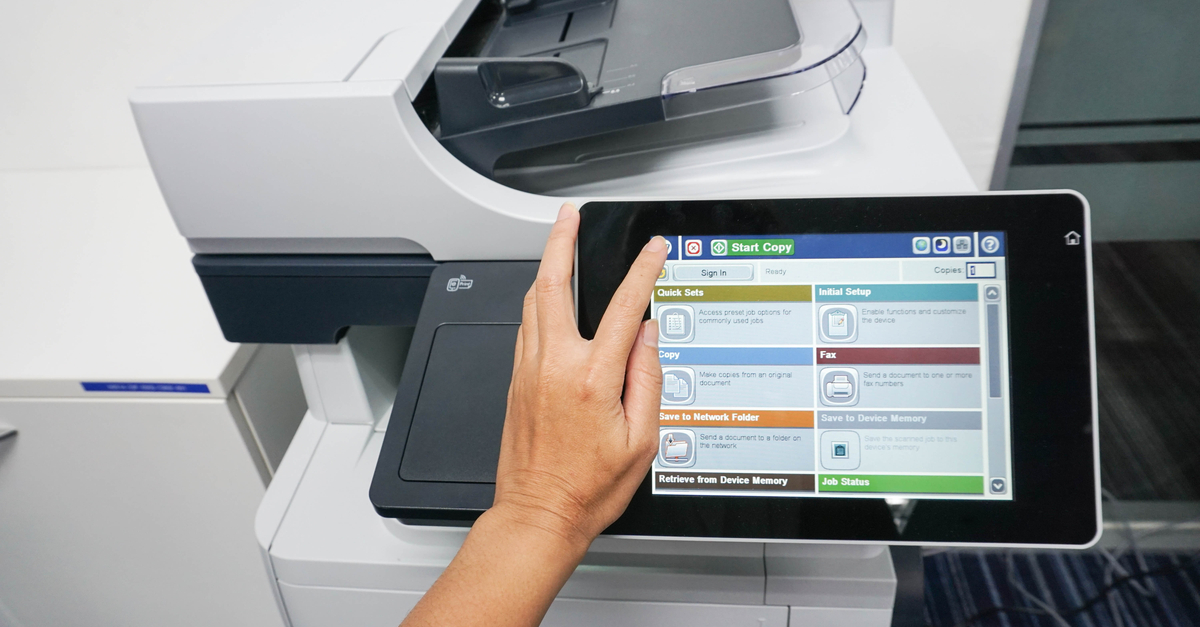

Compliance with GDPR Policies

Sending personal information over the web can be tricky with the European General Data Protection Regulation (GDPR). Though this system is good in the sense that it ensures the protection of personal information, many businesses are struggling to comply with these policies. Most companies do not realize that compliance is easier than one would think, so we have put together this list to help meet GDPR policies.

Document Encryption

DRM encryption is the most effective way to encrypt these sensitive documents. Here are the proper steps to protect documents:

  1. Create one or several documents that contain the confidential information you need to share.
  2. Select and right-click the documents that need securing, and select “Make Secure PDF” from the list. Then choose the controls you wish to put on the document, watermark it, publish the document.
  3. Choose how the document needs to be distributed (i.e., email, website, etc.).
  4. Login to your administrative system and add users that you wish to have access to the document(s).
  5. Send recipients the documents’ link to download the viewing app and their license.

Other GDPR Policies

Here is a list of steps to take to ensure that your document management process is within GDPR regulations:

  • Place expiration dates on documents so they cannot be accessed after they expire.
  • Set a number of views that a document can have before it will expire.
  • Limit the number of times that a document can be printed.
  • Tag locations on documents, so they are only used in the specified locations.
  • Keep a log of document use to keep an eye on who has viewed or printed a document.

Peter Paul Office Equipment can further help your business with all of your document management needs. Contact us today to get started protecting your business!

2024-04-08T11:57:08+00:00Tags: |

Protecting Your Printers: 3 Quick Maintenance Tips

Your printers are an important part of your business. They help you communicate, collaborate, and grow–but they can’t do it alone. Today, we’ll show you three quick maintenance tips that will give your printers the care they deserve.

Taking Care of Your Investments

Printers aren’t just necessary and helpful tools in your workflow–they’re also investments. In order to make sure they last longer, work better and keep doing exactly what you need them to do, they need a little help from you–and the good news is that it’s easy to get into the habit of printer maintenance once you know what to do. All it takes is a little bit of knowledge about your unique machine and its individual needs.

Here are a few quick maintenance tips to get you started!

  • #1: Place printers properly.

You might not think about this at first, but the truth is that where you put your printers is just as important as what you do with them. Placing a machine in front of a heater, for example, could damage the machine and shorten its life, but it could also be dangerous if the device overheats–so make sure your printers are placed properly!

  • #2: Don’t dodge cleaning duty.

Cleaning your printers regularly is a huge part of maintenance, and in this case, a little bit of regular work goes a long way. All you have to do is use a can of compressed air to clean the printer (inside and outside) and then vacuum up any dust you see.

  • #3: Schedule routine maintenance.

Printer “check-ups” can save you a lot of time, money, and stress in the long run. Contact a professional who can help you make sure everything is running smoothly and suggest any maintenance practices that will keep […]

2024-04-08T11:56:17+00:00Tags: |

What You Need to Know About Printer Service Contracts

Taking good care of your printers should always be a priority, but when service contracts are involved, many companies get a little nervous. Not to worry–today we’ll help demystify the good old service contract and help you make sure your printers are getting the best possible care!

Happy Printers, Happy Businesses

Many businesses don’t stop to really think about their loyal printers. These hardworking devices are part of just about everything, from internal communication to customer service to marketing–which means that it’s absolutely crucial to take good care of them. After all, if your printers are getting regular maintenance, they’ll last longer, work better, and be more efficient–and that means you won’t have to pay for repairs or upgrades for awhile. With that said, many businesses also have to deal with service contracts before they can even consider “happy printers,” so it’s important to understand the details.

What To Know

Here are a few quick tips about service contracts on your printers!

  • #1: Speak the language.

You probably expect that most service contracts are going to have some legal jargon, but you also need to speak the language of printers and copiers. For example, did you know that, in the service contract world, a “click” refers to a printed image? (Single-sided prints are one “click,” and double-sided prints are two.)

  • #2: Understand your company’s habits.

Since you’ll likely be paying for a minimum number of “clicks” whether you print that much or not, it helps to know ahead of time about how much your company prints every month. Some guesswork is expected, but try to get as close as possible.

  • #3: Know what to expect.

Service contracts can cover different things. Make sure yours includes everything you’ll need, from toner cartridges to drums to regular maintenance, and always read the fine print.

Taking good care of your printers doesn’t have to be a challenge, […]

2024-04-08T11:54:28+00:00Tags: |

Printing Hacks: Automatic Meter Reads for Printers

Printing is a crucial part of your business, but it shouldn’t be all about saving time, money, and energy. In order to successfully manage your printer fleet and remain effective, efficient, and productive, you need to rely on one thing: precision. That’s exactly what you’ll get when you automate meter reads for your printers–and today, we’ll explain why.

Don’t Skip the Meter Reads

When it comes to office equipment like printers, copiers, and scanners, you can’t always be an expert. In fact, you’ve probably learned enough about your printers to keep them in good working order, but have yet to discover every little thing they can do for you–and, chances are, you still skip important things like meter reads every once in awhile. The truth is that, in order to maintain a reliable, high-quality fleet, it’s critical to get timely and precise information from your meter reads. If you don’t, you’re essentially missing out on a chance to solve any potential problems before they arise.

With that said, getting perfect meter reads can be a pain–so that’s why it’s best to turn to automation. When you automate meter reads for your printers, you can count on:

  • More accuracy

When you have a large or spread-out printer fleet, it can be easy to get inaccurate information or to treat printers differently. By automating your meter reads, you guarantee that every printer–no matter the make, model, or location–gets maintenance, repairs, and consumables right on time, without any extra stress.

  • Less wasted time and money

Let’s face it: getting meter reads isn’t the easiest or most enjoyable job. It takes time, it has a large margin for human error, and, often, it wastes money. Luckily, when you automate your meter reads, you don’t have to spend all that time walking from one printer to the next.

  • Helpful information

Automated meter reads let you know […]

2024-04-08T11:53:11+00:00Tags: |

How to Put Your Printers to Work For You

Do you ever have days where it feels like you work for your printers? Although printers do need a little bit of care and regular maintenance, they shouldn’t be adding stress to your workplace. Here are a few ways to start putting your printers to work for you and achieving higher levels of security and efficiency!

An Orderly Fleet

No matter what your printer fleet looks like, from the humblest single-function machines to the most powerful multifunction devices, you must be able to rely on every machine. In order to do that, you have to know the machines inside and out. What are their main features, and what extra functions do they come with? What paper works best? What is the best way to connect them to your network and mobile devices? Once you’ve learned these things about your fleet, it’s easy to take that information and put your printers to work for you. Let’s get started!

STEP 1: CUSTOMIZE.

The first thing you can do to put your printers to work for you instead of the other way around is to customize the user experience. You can change what shows up on the touch screen, get rid of options you never use, and streamline the processes you rely on most often. Work smarter, not harder!

STEP 2: IMPROVE SECURITY.

If your printers have got you worried about security at every turn, then you have your work cut out for you. All you need to do is focus on improving printer security–including mobile devices, network connections, and good printing habits–so that you can rest easy.

STEP 3: ADD SOME CREATIVE SOLUTIONS.

Now that you’ve got your fleet under tighter management, it’s time to reap the rewards. Start by implementing some creative solutions like mobile printing. You can boost efficiency, minimize waste, and better serve your customers–all thanks to a […]

2024-04-08T11:38:15+00:00Tags: |

Printers: More Than Just Paper

Did you know that many of today’s printers don’t just print on paper? The truth is that these powerful, efficient machines can help you create so much more–which opens up all kinds of opportunities for marketing, communication, and creativity. Let’s find out what printers can really do!

Printer Power

From multifunction devices to production printers, today’s machines are stronger and more capable than ever. They can handle just about anything when it comes to paper–but many companies don’t realize that certain devices, especially wide-format printers, can do more than that. A lot of people are missing out on real printer power. Of course, it’s important to make sure you know what your individual machine can do so that you don’t ruin the device, but many machines can print on these materials:

  • Adhesives. Self-adhesive material is great for stickers, decals, and labels–and when you can personalize them for your own unique needs, there’s no limit to what you can do. (Plus, a well-designed and professional-looking label can really make your company stand out.)
  • Aluminum. Have you ever thought about printing on aluminum? The finished product is, as you might expect, both unique and eye-catching. If you need to make a statement or create something truly dazzling, check if your printer works with aluminum.
  • Vinyl. Vinyl printing is a great option for anything that needs to survive outdoors. It’s especially helpful for important signage, and it allows high levels of personalization.
  • Magnets. Magnets are a great tool because they’re easy to distribute and they’re functional. Printing custom designs on magnets is even easier than you might think (with the right machine, that is).

So, what can your printer do? To find out more or to buy a machine that can do all of these things, contact us today!

2024-04-08T11:36:54+00:00Tags: |
Go to Top